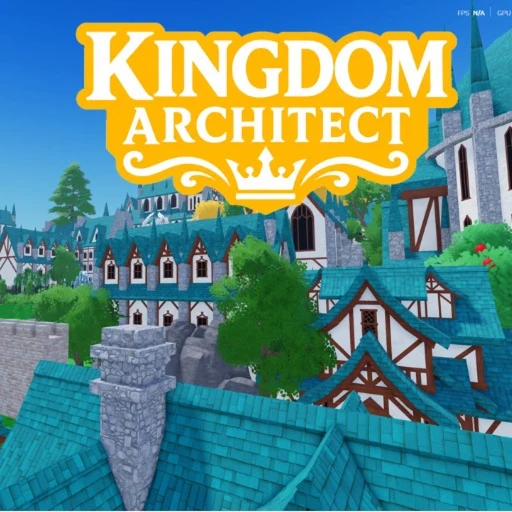
Kingdom Architect Decoration Guide for Readable Districts
Use roads, terrain, water, trees, gardens, and decorations to clarify the city instead of filling every gap.
Use roads, terrain, water, trees, gardens, and decorations to clarify the city instead of filling every gap. This guide is deliberately conservative: it uses the official Roblox listing and pinned Roblox API evidence, then labels planning suggestions as editorial advice. Kingdom Architect is still marked BETA, so exact prices, menus, timing, and balance can change without making an older guide obviously wrong.
What the official source confirms
Kingdom Architect is a Roblox Simulation / Tycoon experience published by Finite Works. The reviewed listing calls it Kingdom Architect [BETA] and describes a journey from a small medieval village to a large fantasy castle city. It explicitly says that buildings produce money or payouts, players collect those payouts, new structures can be unlocked, more land can be purchased, and the city can be upgraded. It also promises offline growth and day-and-night exploration.
The official description names houses, markets, roads, towers, walls, gardens, terrain, water, trees, and decorations as placeable elements. That list supports broad planning categories, but it does not support invented costs, output rates, sizes, rarity, levels, hidden bonuses, or a universal best layout. Use the official Roblox experience whenever a detail may have changed.
A practical framework
- Verify the current build: Repeat a small set of materials or shapes inside each district to make it visually coherent.
- Set one clear goal: Frame important buildings with roads or open space so they remain visible during day and night.
- Protect future space: Use water and terrain as transitions, then use trees and gardens to soften their edges.
- Review before repeating: Review the city from several angles before adding more decoration.
This framework keeps progress visible. A useful session ends with a city that communicates its next step: perhaps a road points toward unpurchased land, a district has room for a future structure, or a collected payout is reserved for the next verified upgrade. That is more resilient than copying a numerical route from an undated page.
Separate economy from presentation
The official listing supports both functional growth and creative design. Treat them as two connected decisions. Economy decisions concern the verified loop of building, collecting, unlocking, buying land, and upgrading. Presentation decisions concern roads, walls, towers, gardens, terrain, water, trees, and decorations. A beautiful district can still preserve a clear path for expansion, while an efficient income area can use landmarks and open space to remain readable.
When you test a change, alter one major decision at a time. Check the current in-game result, record the date if it affects a guide, and avoid turning one personal observation into a universal rule. BETA experiences often change interface labels, prices, and balance before stable documentation catches up.
Claims this guide does not make
- The official description names broad decoration types but not a complete item catalog.
- Avoid promising lighting, pathfinding, income, or visitor bonuses from decorative placement. +- No developer-controlled public Discord invite or YouTube channel was verified in the reviewed public sources. +- No exact economy table, offline formula, building tier list, or hidden mechanic is asserted here. +- Live visits, favorites, playing counts, and update timestamps must be shown only as dated snapshots.
How to verify advice safely
Start with the exact Roblox place, confirm that the title and creator still match, and read the current description. For numerical claims, prefer an in-game screen or a developer-controlled announcement with a visible date. Compare the claim with the current BETA build before publishing it. If the evidence is missing, write “not verified” instead of filling the gap with a plausible number.
For community claims, distinguish a real developer-controlled destination from a copied invite, fan wiki, short video, or aggregation page. Never install scripts, executors, injectors, or browser downloads that promise money, codes, or automation. Those are not substitutes for normal Roblox gameplay or official information.
Frequently asked questions
Is Kingdom Architect on Roblox?
Yes. The verified root place is 105373497661352, and the creator shown by Roblox is the group Finite Works. Use the official link above instead of searching for similarly named architecture firms, board games, or unrelated experiences.
Does Kingdom Architect have offline progress?
The official description says the kingdom builds and earns while the player is offline. The reviewed source does not specify a formula, time cap, or equal rate for every building, so check the current game before relying on a schedule.
What can players place?
The official listing names houses, markets, roads, towers, walls, gardens, terrain, water, trees, and decorations. Individual item details can change and should be verified in the current build.
Where should a new player get updates?
Begin with the Roblox experience page and the Finite Works group. This review did not verify a public official Discord invite or developer-controlled YouTube channel, so the site does not publish guessed links.
Source note
Reviewed on 2026-07-14: Roblox game API for universe 10162859180, Roblox group API for Finite Works group 287943657, and the official experience listing. This page avoids competitor wikis and does not convert unverified community claims into facts.